
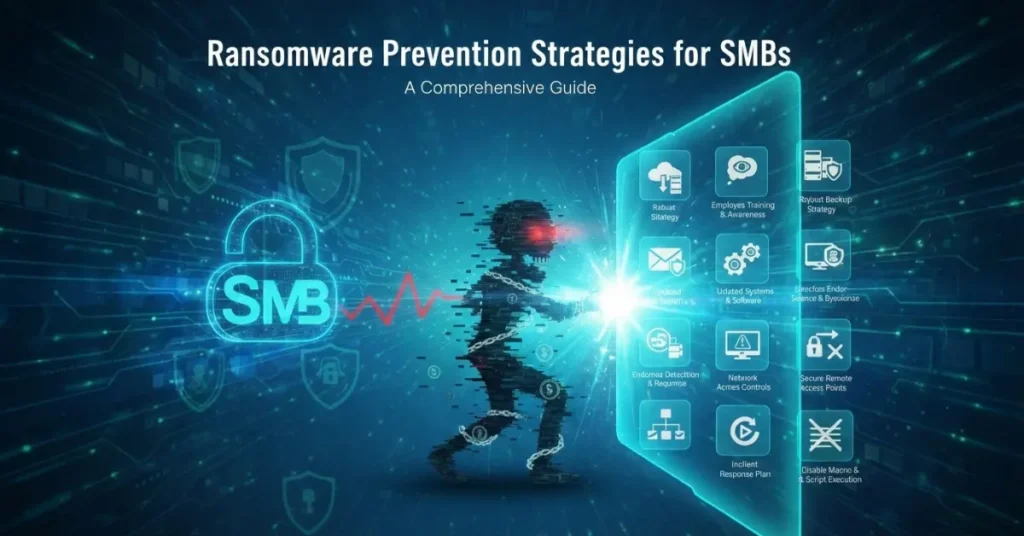
Ransomware attacks have become one of the most significant cybersecurity threats facing small and medium-sized businesses (SMBs) today. Unlike large enterprises with dedicated security teams, SMBs often lack the resources to recover from devastating attacks that can cost hundreds of thousands of dollars in ransom payments, downtime, and lost business. The good news is that with the right strategies and tools, including developing strong cybersecurity frameworks, SMBs can significantly reduce their risk of falling victim to ransomware attacks.
Understanding the Ransomware Threat Landscape
Ransomware is malicious software that encrypts your files and systems, making them inaccessible until you pay a ransom to the attackers. Modern ransomware gangs have evolved their tactics to include double extortion, where they not only encrypt your data but also threaten to publish sensitive information if you don’t pay. For SMBs, a successful ransomware attack can mean business closure, with studies showing that 60% of small companies go out of business within six months of a cyberattack.
Essential Prevention Strategies
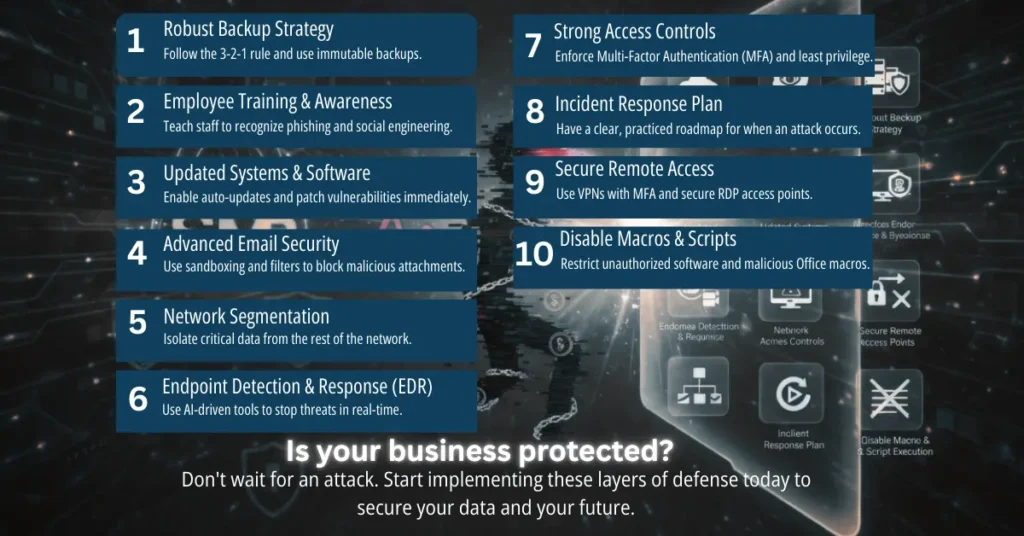
1. Implement a Robust Backup Strategy
Your most critical defense against ransomware is a comprehensive backup system that follows the 3-2-1 rule: maintain three copies of your data, store them on two different types of media, and keep one copy offsite or in the cloud. Regular backups should be automated and tested frequently to ensure data can be restored quickly. Most importantly, keep your backups isolated from your network so ransomware cannot encrypt them along with your primary systems.
Consider implementing immutable backups that cannot be altered or deleted once created. Cloud-based backup services like Backblaze, Acronis, or Veeam offer affordable solutions specifically designed for SMBs. Schedule backups daily for critical data and weekly for less critical information, and always verify that backups are completing successfully.
2. Employee Training and Awareness
Human error remains the leading cause of ransomware infections, with phishing emails being the primary delivery method. Conduct regular cybersecurity training sessions that teach employees to recognize suspicious emails, avoid clicking unknown links, and report potential security threats immediately. Create a culture where security awareness is part of your company’s DNA.
Training should cover recognizing phishing attempts, understanding social engineering tactics, using strong passwords, and following proper procedures for handling sensitive data. Simulate phishing attacks periodically to test employee vigilance and provide additional training for those who fall for the simulations. Remember that security is only as strong as your least informed employee.
3. Maintain Updated Systems and Software
Ransomware often exploits known vulnerabilities in outdated software and operating systems. Enable automatic updates for all software, operating systems, and firmware across your organization. Prioritize patching critical security vulnerabilities within 24-48 hours of release. Create an inventory of all software and hardware assets to ensure nothing falls through the cracks.
Pay special attention to legacy systems that may no longer receive security updates. If you must maintain such systems, isolate them from your main network and implement additional security controls around them. Consider replacing outdated systems that pose significant security risks to your organization.
4. Deploy Advanced Email Security
Since most ransomware arrives via email, implementing advanced email filtering is crucial. Use email security solutions that offer sandboxing, which tests attachments in an isolated environment before delivering them to users. Enable spam filtering, anti-phishing protection, and attachment scanning to catch malicious content before it reaches employee inboxes. Understanding common cyber threats like DDoS attacks can also help your team recognize broader attack patterns and suspicious activities.
Configure your email system to block potentially dangerous file types such as .exe, .scr, and .zip files from unknown sources. Implement DMARC, SPF, and DKIM email authentication protocols to prevent email spoofing. Consider using a secure email gateway service that provides an additional layer of protection beyond your standard email provider.
5. Implement Network Segmentation
Network segmentation divides your network into smaller, isolated sections that limit ransomware’s ability to spread laterally across your infrastructure. Separate critical systems, databases, and backups from general user networks. Use VLANs or physical separation to create boundaries between different departments or functions.
This strategy ensures that if one segment becomes infected, the ransomware cannot easily move to other parts of your network. Implement strict access controls between segments, allowing only necessary communication. Store sensitive data and critical systems in highly protected segments with limited access points.
6. Use Endpoint Detection and Response (EDR)
Modern antivirus software alone is insufficient against sophisticated ransomware. Implement EDR solutions that use behavioral analysis and machine learning to detect and respond to threats in real-time. EDR tools monitor endpoint activities, identify suspicious behavior patterns, and can automatically isolate infected devices before ransomware spreads.
Look for EDR solutions designed for SMBs that offer managed services if you lack in-house security expertise. Popular options include CrowdStrike Falcon, SentinelOne, and Microsoft Defender for Endpoint. These tools provide visibility into endpoint activities and can detect zero-day threats that traditional antivirus might miss.
7. Enforce Strong Access Controls
Implement the principle of least privilege, ensuring employees only have access to the systems and data necessary for their roles. Use multi-factor authentication (MFA) for all accounts, especially those with administrative privileges. Disable unnecessary user accounts and remove administrative rights from users who don’t require them.
Regularly audit user permissions and remove access for departed employees immediately. Use privileged access management (PAM) tools to control and monitor administrative accounts. Consider implementing just-in-time access that grants elevated privileges only when needed and automatically revokes them afterward.
8. Develop an Incident Response Plan
Despite best prevention efforts, you must prepare for the possibility of an attack. Create a detailed incident response plan that outlines specific steps to take when ransomware is detected, including who to contact, how to isolate infected systems, and how to restore from backups. Document emergency contacts for IT staff, cybersecurity experts, legal counsel, and law enforcement.
Practice your incident response plan through tabletop exercises at least twice a year. Ensure all team members understand their roles during a security incident. Keep printed copies of your response plan since you may lose access to digital files during an attack. Include communication templates for notifying customers, partners, and stakeholders if necessary.
9. Secure Remote Access Points
With remote work becoming commonplace, VPNs and remote desktop protocols have become major attack vectors. Always use VPNs with MFA for remote access, and never expose Remote Desktop Protocol (RDP) directly to the internet. If RDP access is necessary, place it behind a VPN and use a non-standard port. Learn more about implementing cybersecurity strategies for remote workforces to protect distributed teams effectively.
Implement network access control (NAC) to verify device security posture before allowing network connections. Monitor remote access logs for suspicious activity and set up alerts for failed login attempts. Consider using zero-trust network access (ZTNA) solutions that verify every access request regardless of location.
10. Disable Macros and Script Execution
Many ransomware variants spread through malicious macros in Office documents or PowerShell scripts. Configure your systems to disable macros by default and only allow them from trusted sources when absolutely necessary. Restrict PowerShell execution and implement application whitelisting to prevent unauthorized software from running. Mastering operating system security is essential for creating a robust defense against these attack vectors.
Use Group Policy in Windows environments to enforce these restrictions across all devices. Educate users about the risks of enabling macros in documents from unknown sources. Consider using Microsoft’s Attack Surface Reduction (ASR) rules to block common attack vectors.
Additional Security Measures
Regular Security Assessments
Conduct vulnerability assessments and penetration testing at least annually to identify weaknesses in your security posture. Use these findings to prioritize security improvements and allocate resources effectively. Consider hiring external security consultants for an objective evaluation of your defenses.
Cyber Insurance
Invest in cyber insurance that covers ransomware incidents, including ransom payments, recovery costs, business interruption, and legal expenses. Understand your policy’s requirements and exclusions, as many insurers now require specific security measures before providing coverage. Cyber insurance can provide financial protection and access to incident response experts during an attack.
Vendor and Third-Party Risk Management
Evaluate the security practices of vendors and partners who have access to your systems or data. Many ransomware attacks occur through compromised third-party connections. Include security requirements in vendor contracts and conduct regular security reviews of critical partners.
What to Do If You’re Attacked
If ransomware strikes despite your precautions, follow these steps immediately:
- Isolate infected systems from the network by disconnecting ethernet cables and disabling Wi-Fi to prevent spread
- Do not pay the ransom immediately, as payment doesn’t guarantee data recovery and funds criminal operations
- Contact law enforcement and report the incident to agencies like the FBI’s Internet Crime Complaint Center
- Engage cybersecurity incident response professionals who specialize in ransomware recovery
- Assess the extent of the infection and identify the ransomware variant using tools like ID Ransomware
- Restore systems from clean backups after ensuring the ransomware is completely removed
- Conduct a post-incident analysis to understand how the attack occurred and prevent future incidents
Conclusion
Protecting your SMB from ransomware requires a layered approach combining technical controls, employee awareness, and proper planning. While no strategy provides 100% protection, implementing these prevention measures significantly reduces your risk and ensures faster recovery if an attack occurs. The investment in cybersecurity is far less than the cost of recovering from a ransomware attack, making prevention not just smart security practice but sound business strategy.
Remember that cybersecurity is an ongoing process, not a one-time project. Regularly review and update your security measures as new threats emerge and your business evolves. By staying vigilant and proactive, you can protect your business, customers, and reputation from the devastating impact of ransomware attacks.